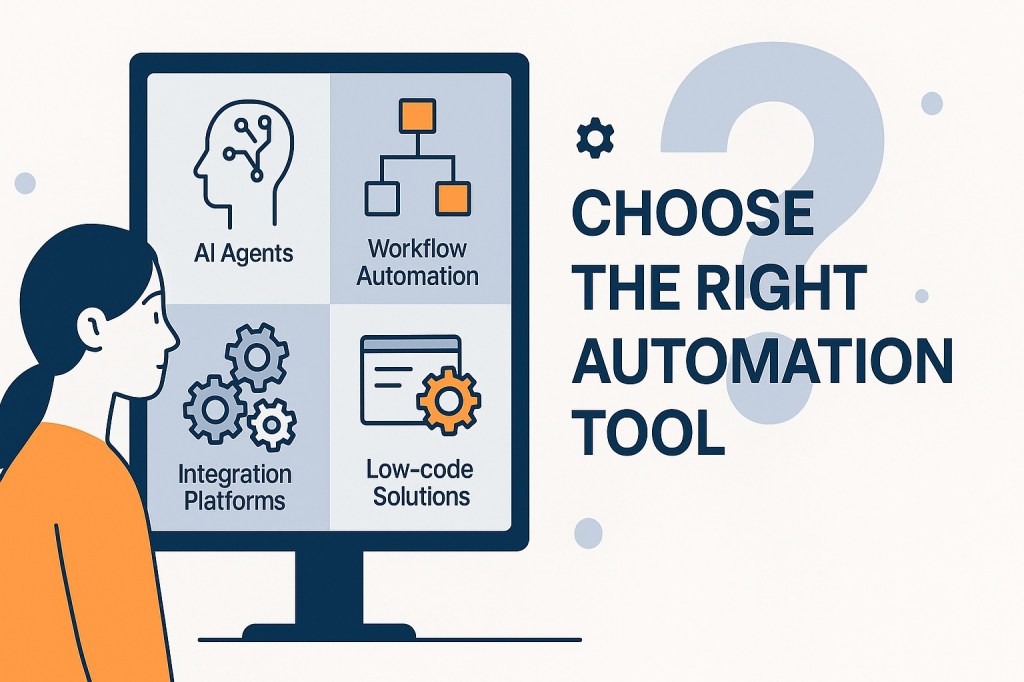
As AI agents storm the market and automation technologies mature, transformation leaders face a critical question: Not just what to automate — but how.
From RPA and low-code platforms to intelligent agents and native automation tools, the choices are expanding fast.
This article offers a practical framework to help you make the right decisions — and build automation that scales with your organization.
A Layered View of the Automation Landscape
Modern automation isn’t a single tool — it’s leveraging a full stack. Here are the key layers:
🔹 1. Digital Core Platforms
Systems like SAP, Salesforce, ServiceNow and Workday host your enterprise data and business processes. They often come with native automation tools (e.g., Salesforce Flow, SAP BTP), ideal for automating workflows within the platform.
🔹 2. Integration Platforms (iPaaS)
Tools like MuleSoft, Boomi, and Microsoft Power Platform play a foundational role in enterprise automation. These Integration Platforms as a Service (iPaaS) connect applications, data sources, and services across your IT landscape — allowing automation to function seamlessly across systems rather than in silos.
🔹 3. Automation Tools
- RPA (e.g., UiPath) automates rule-based, repetitive tasks
- Workflow Automation manages structured, multi-step business processes
- Low-/No-Code Platforms (e.g., Power Apps, Mendix) empower teams to build lightweight apps and automations with minimal IT support
🔹 4. AI Agents
Tools and platforms like OpenAI Agents, Microsoft Copilot Studio, Google Vertex AI Agent Builder, and LangChain enable reasoning, adaptability, and orchestration — making them well-suited for knowledge work, decision support, and dynamic task execution.
Choosing the Right Tool for the Job
No single tool is right for every use case. Here’s how to decide:
| Scenario | Best Fit |
| Rule-based, repetitive work | RPA |
| Structured, approval-based flows | Workflow Automation |
| Inside one platform (e.g., CRM/ERP) | Native Platform Automation |
| Cross-system data & process flows | Integration Platforms (iPaaS) |
| Lightweight cross-platform apps | Low-/No-Code Platforms |
| Knowledge-driven or dynamic tasks | AI Agents |
The most effective automation strategies are hybrid — combining multiple tools for end-to-end value.
Implementation Roadmaps: One Journey, Many Paths
While all automation projects follow a shared journey — identify, pilot, scale — each tool requires a slightly different approach.
1. Identify the Right Opportunities
- Native Platform Tools: Start with what’s already built into Salesforce, SAP, etc.
- iPaaS: Identify silos where data must flow between systems
- RPA: Use process/task mining to find repeatable, rule-based activities
- Workflow: Focus on bottlenecks, exceptions, and handoffs
- Low-/No-Code: Empower teams to surface automation needs and prototype fast
- AI Agents: Look for unstructured, knowledge-heavy processes
2. Design for Fit and Governance
Each automation type requires a different design mindset — based on scope, user ownership, and risk profile.
- Native Platform Automation: Stay aligned with vendor architecture and update cycles
- iPaaS: Build secure, reusable data flows
- RPA: Design for stability, handle exceptions
- Workflow: Focus on roles, rules, and user experience
- Low-/No-Code Platforms: Enable speed, but embed clear guardrails
- AI Agents: Use iterative prompt design, test for reliability
Key distinction:
- Native platform automation is ideal for secure, internal process flows.
- Low-/no-code platforms are better for lightweight, cross-functional solutions — but they need structure to avoid sprawl.
3. Pilot, Learn, and Iterate
- Platform-native pilots are quick to deploy and low-risk
- RPA pilots deliver fast ROI but require careful exception handling
- Workflow Automation start with one process and involve users early to validate flow and adoption.
- Low-/no-code pilots accelerate innovation, especially at the edge
- iPaaS pilots often work quietly in the background — but are critical for scale
- AI agent pilots demand close supervision and feedback loops
4. Scale with Structure
To scale automation, focus not just on tools, but on governance:
- Workflow and Low-Code: Set up federated ownership or Centres of Excellence
- RPA and iPaaS: Track usage, manage lifecycles, prevent duplication
- AI Agents: Monitor for performance, hallucination, and compliance
- Native Platform Tools: Coordinate with internal admins and platform owners
The most successful organizations won’t just automate tasks — they’ll design intelligent ecosystems that scale innovation, decision-making, and value creation.
Conclusion: Architect the Ecosystem
Automation isn’t just about efficiency — it’s about scaling intelligence across the enterprise.
- Use native platform tools when speed, security, and process alignment matter most
- Use low-/no-code platforms to empower teams and accelerate delivery
- Use RPA and workflows for high-volume or structured tasks
- Use AI agents to enhance decision-making and orchestrate knowledge work
- Use integration platforms to stitch it all together
The winners will be the ones who build coherent, adaptive automation ecosystems — with the right tools, applied the right way, at the right time.


 Best of Digital Transformation